Quick answer: If Black Ops 7 boots to a black screen — you can hear the menu music, your controller vibrates, maybe you see the cursor, but the picture stays black — it is almost always a display-mode or cache conflict, not dead hardware or a broken install. It spikes right after big patches, and the August update to Season 5 (live since July 23, 2026) is the current trigger. Fastest fixes, in order: press Alt+Enter to toggle fullscreen (or Alt+Tab out and back), delete the players folder in Documents → Call of Duty (Activision's own workaround), disable any controller-overclock software if you use a DualSense Edge, run Scan & Repair / Verify game files, and update your GPU driver. Do the first three and most PC players are back in a lobby in under 15 minutes.
This guide is specifically for a black screen while the game is actually running — audio plays, the game responds, but nothing draws on screen. If your game instead crashes to desktop, drops FPS, or throws a DirectX error, use the sibling guides linked below. A black screen is a display problem, and display problems have their own short list of fixes.
Call of Duty - Bot Lobby
Get bot lobby in 10 minutes
Why does Black Ops 7 go to a black screen after an update?
A black screen with working sound tells you the game launched fine — it just can't hand the picture to your display. Four things cause that after a patch, and every large Call of Duty download touches at least two of them:
- Display-mode mismatch. The update resets or re-negotiates your display mode. If the game tries Fullscreen Exclusive on a resolution or refresh rate your monitor rejects, you get a black screen while the audio keeps playing. This is the single most common cause on PC.
- A corrupted or stale settings/cache file. Your local config was written for the old build. When the new version reads it, the render path can fail before the first frame ever draws.
- A GPU driver behind the new build. Call of Duty patches often ship alongside a studio-recommended driver. An out-of-date driver can initialize the game engine but fail to output a frame.
- Third-party software grabbing the display or the controller. Overlays (Discord, GeForce Experience, Xbox Game Bar) and — new this August — controller-overclock utilities used with DualSense Edge pads are being reported as a fresh trigger for the black screen returning after the update.
The tell is timing: it worked last week, you patched, and now it won't draw. That points straight at display mode + files + driver, which is exactly where the fixes below start. None of them require reinstalling the whole game.
Is it your game or an outage? (check this first)
Before you change a single setting, confirm the servers aren't the problem. A black screen is a local display fault in nearly every case, but a failed login handshake during an outage can also leave you staring at black.
- Open the Activision online-services status page and check Black Ops 7 and your platform.
- If there's an outage, no local fix will help — wait it out.
- If everything is green, it's on your machine. Move to Fix 1.
The fixes, in the order that actually works
Work top to bottom and stop as soon as you get a picture. They're ordered fastest-and-most-likely first.
Fix 1 — Force a display-mode change (Alt+Enter / Alt+Tab)
This is the 30-second fix that clears the most cases, because it forces the game to re-negotiate the display.
- With the game on the black screen, press Alt + Enter. This toggles between fullscreen and windowed and usually snaps the picture back instantly.
- If that does nothing, press Alt + Tab to switch away from the game and back.
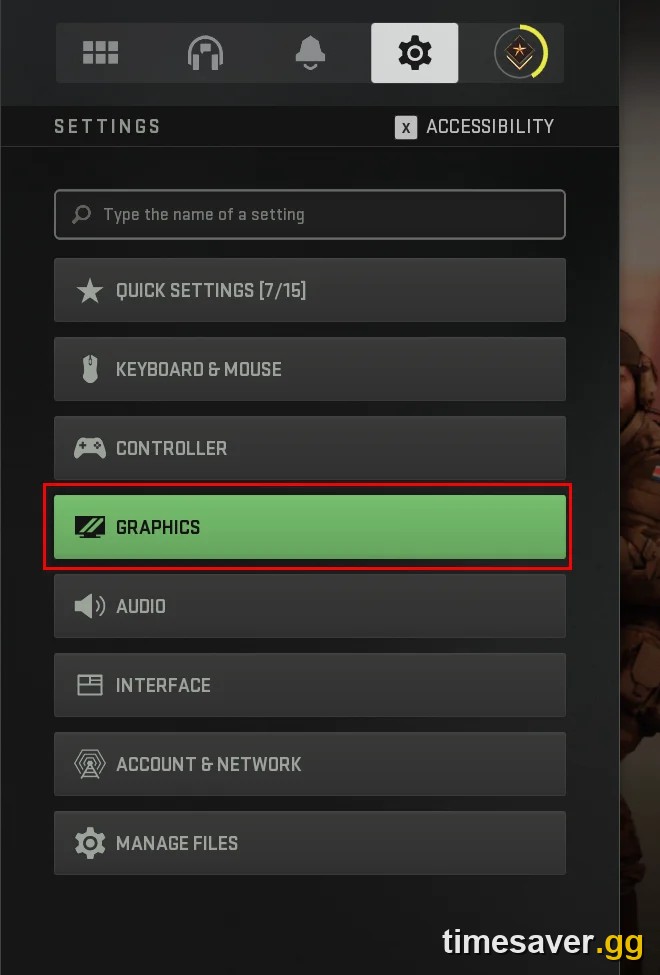
- Once you can see the menu, go to Settings → Display and set Display Mode to Fullscreen (not Borderless/Windowed Fullscreen), then set Resolution and Refresh Rate to your monitor's native values. Mismatched resolution/refresh after a patch is the #1 repeat offender.
- On a multi-monitor setup, confirm the Display Monitor is set to your main screen — a patch can push the output to a monitor that's off or disconnected.
Fix 2 — Delete the players folder (Activision's official workaround)
Activision lists this on the official Known Issues page as the workaround for PC players who get a timeout or "Quit to desktop" state after logging in. As Activision Support puts it:
"Players have found success eliminating this error by deleting the 'players' folder from their Call of Duty folder."
— Known Issues in Call of Duty: Black Ops 7, Activision Support
It clears the corrupted local config without touching your progression (that's server-side).
- Fully close Black Ops 7 and your launcher (Steam, Battle.net, or the Xbox app).
- Open Documents → Call of Duty → players.
- Delete the players folder. Important: do not delete anything else in the Call of Duty folder.
- Relaunch. You may need to re-apply a few settings like keybinds — a small price for a working screen.
Fix 3 — Disable controller-overclock software (DualSense Edge users)
This is the fresh, update-specific cause players surfaced on r/blackops7 this August: the black screen returning after the new patch was traced to DualSense Edge controllers running through controller-overclock software (polling-rate/overclock utilities). A standard PS5 controller on the same setup didn't trigger it.
- If you use a DualSense Edge with any polling-rate or overclock tool, close that software completely before launching.
- Test with a standard controller or your mouse and keyboard to confirm it's the culprit.
- If the black screen disappears without the overclock utility running, keep it closed while playing BO7 until a patch addresses it.
Fix 4 — Scan & Repair / Verify game files
A patch that didn't fully apply leaves mismatched render files — the classic recipe for a first-frame failure.
- Battle.net: click Black Ops 7 → the gear icon next to Play → Scan and Repair.
- Steam: right-click Call of Duty in your library → Properties → Installed Files → Verify integrity of game files.
- Xbox app on PC / Microsoft Store (0x errors): Start → Settings → Apps → Installed apps → find Call of Duty → ⋯ → Advanced options → Terminate, then under Reset choose Repair (this is Activision's official fix for Xbox-on-PC 0x errors). Repair keeps your files; Reset wipes them, so try Repair first.
- Let it finish completely, then relaunch.
Fix 5 — Update your GPU driver (and disable overlays)
An out-of-date driver can boot the engine but fail to output a frame — and overlays love to fight over the display layer.
- Install the latest Game Ready (NVIDIA) or Adrenalin (AMD) driver. If a black screen started immediately after a driver update, roll back one version instead — a bad driver revision can do this too.
- Disable in-game overlays: Discord, GeForce Experience / NVIDIA App, Steam, and Xbox Game Bar. Any one of them can cause a black screen on a fresh build.
- Turn off HDR (Windows and in-game) as a test — HDR handshakes are a known black-screen trigger on some panels.
Fix 6 — Console black screen (PS5 / Xbox)
Consoles rarely hit this, but when they do it's almost always cache or a half-applied update.
- PS5: close the game from the switcher (don't leave it in Rest Mode), then rebuild the database in Safe Mode (hold Power until the second beep → Rebuild Database). Also check Settings → Storage → Games and confirm the update fully installed.
- Xbox: hold the Xbox button → Restart console (a full restart clears the cache; Quick Resume can carry the fault over). Then My Games & Apps → Manage → Updates to confirm the patch finished.
- On both, verify the game is fully updated — launching mid-download causes loading loops and black screens.
Call of Duty - Ranked Boost
Get ranked boost in 10 minutes
What if the black screen only happens in-game, not on launch?
If the menu draws fine but you drop to a black screen entering a match or a Zombies map, that's usually a shader or memory issue, not a display-mode one. Let shaders finish installing on the main menu, clear the shader cache, and cap your FPS. That's a different fix path — see the shaders and crashing guides linked below rather than working through this list again.
Stop losing progression while you troubleshoot
A black screen at the worst time — mid-grind, double-XP weekend, a Ranked placement run — costs you more than a headache. If you're patching, repairing, and rebooting for an hour, that's an hour off your camo grind or your prestige climb. When you get back in, you can make up the lost time fast:
Get back on track the moment your game boots:
- CoD Bot Lobbies — easy lobbies to farm weapon XP and camo progress fast once you're playing again.
- CoD Account & Weapon Leveling — skip the grind and jump straight to max weapon levels and prestige, done by real players.
- All Call of Duty services — camos, ranked, Zombies Easter eggs, and more.
Frequently Asked Questions
Why is Black Ops 7 a black screen but I can hear the sound? Sound with a black screen means the game launched correctly and only the display output failed — a display-mode or cache conflict, not dead hardware. Press Alt+Enter to force a fullscreen toggle first; if that doesn't work, delete the players folder in Documents → Call of Duty and relaunch.
Did the latest update cause the Black Ops 7 black screen? Yes, for most players the black screen returned right after the August Season 5 update. Big patches reset your display mode, invalidate the old settings cache, and sometimes ship with a new recommended GPU driver — any of which can stop the first frame from drawing. The fixes above target exactly those causes.
Does deleting the players folder delete my progress or unlocks? No. Your rank, camos, and unlocks are stored server-side on your Activision account. The players folder only holds local settings like keybinds and controller options, so you may need to re-apply a few preferences after deleting it — but nothing you've earned is lost.
How do I fix the Black Ops 7 black screen on PS5 or Xbox? Fully close the game (not Rest Mode / Quick Resume), then restart the console. On PS5, rebuild the database in Safe Mode; on Xbox, do a full Restart console. Confirm the update finished installing under your storage/updates menu before relaunching.
Is the black screen caused by my controller? It can be. Players this August traced the returning black screen to DualSense Edge controllers running controller-overclock software. Close any polling-rate/overclock tool and test with a standard controller or mouse and keyboard — if the screen comes back, keep that software closed while playing BO7.