If you jumped into Black Ops 7's Camo Costume Party after the latest update and watched your camo counters sit dead at zero, you're not alone — and you almost certainly aren't bugged out of the reward. Across r/blackops7 and r/CODBlackOps7, players are reporting the exact same thing: "None of my camo challenges are tracking after the most recent update — zombies, multiplayer, or endgame." The good news is that for most people this is a display bug, not lost progress — the game is counting your kills in the background and just failing to draw the number on screen.
This guide separates the three things that all look identical when a counter won't move — the real tracking bug, mode-locked camos that were never going to count where you're playing, and misread requirements — and gives you the community-verified fix that's getting counters unstuck right now, before the event ends on October 8, 2026.
Quick answer (TL;DR): If your BO7 Camo Costume Party challenges aren't tracking after the update, the fix that's working for most players is: take the camo off the gun → back out to the main menu → fully hard-close and relaunch the game. When it reloads, the "real" progress usually appears — proof it was tracking in the background all along. If a gun has no camo equipped, the counter can look frozen; build a blueprint with any camo on it first, then do the remove-and-restart. Before you call it a bug, also confirm the camo is mode-locked to the mode you're in (Zombies camos only progress in Zombies, Multiplayer camos only in Multiplayer, etc.) and that you're using the right weapon class — those two "false bugs" account for most stuck counters.
Grinding the whole Camo Costume Party — Oozed, the mode masteries, or a bugged leg — and don't want to fight the tracker?
A pro can complete the event challenges for you across all four modes, fast and secure.
- BO7 Mastery Camo Unlock — Camo Costume Party camos, Oozed & the mode masteries, done for you.
- BO7 Account & Weapon Leveling — level and prestige the guns you need before you grind.
Call of Duty - Bot Lobby
Get bot lobby in 10 minutes
Why are my BO7 camo challenges not tracking after the update?
Since Season 06's mid-event patch, a wave of players hit the same wall: camo challenge counters that refuse to move even during a clean run. This is the acknowledged Camo Costume Party tracking issue, and the key thing to understand is where the kills go. In the majority of reported cases, the game is registering the eliminations — it just isn't updating the on-screen tracker until something forces the client to re-sync with the servers. Players who thought they'd earned nothing suddenly saw their true totals jump the moment they reloaded the game.
That's why the fix below works: you're not "re-earning" anything, you're forcing the client to redraw progress it already banked. Before you spend an hour re-grinding, run the reset — most people find they were further along than the menu was telling them.
For the wider camo picture — all 45+ Season 06 camos, the Prestige, BlackCell and Ranked pools — see our companion guide, BO7 Season 6 Camos: All 45+ Weapon Camos & How to Unlock Every One. This post is specifically about counters that won't move.
The fix that actually works: remove the camo, then restart
This is the sequence that r/CODBlackOps7 players are confirming clears the stuck tracker. It takes about two minutes:
- Take the camo off your gun. Go into the weapon's customization, remove the currently equipped camo, and confirm the change.
- Back out to the main menu. Don't just close the loadout — return to the game's front-end menu so the change commits.
- Hard-close the game completely. A full quit — not Rest Mode, not Quick Resume, not alt-tabbing. Close the application and let it fully shut down.
- Relaunch and check. Load back in, open the camo tracker, and your real progress should now be showing. As one player put it: "Remove camo from your gun, restart game, it will then show actual progress — so it is tracking in the background."
- Re-apply and keep grinding. Put your camo back on (or leave it off) and continue — the counter should now update normally.
"THERE IS A FIX!! Remove camo from your gun, restart game, it will then show actual progress — so it is tracking in the background." — r/CODBlackOps7, Camo Costume Party tracking thread
If your gun has no camo equipped
Several players hit a variant: "My gun doesn't have a camo on it, so how will this help me?" The remove-and-restart trick needs a camo to remove. The community workaround: create a new blueprint and add any camo to it, go back to the main menu, reload the mode, then take the camo off and restart the game. Giving the weapon a camo to strip is what forces the tracker to re-attach to that gun.
Before you call it a bug: mode-locked camos
Here's the single biggest "false bug" in the Camo Costume Party — and it's exactly why the "need help with the zombies camo event" posts keep appearing. The event's camos are mode-locked. Each of the four modes has its own separate camo set with its own challenges, and kills only count toward the camo set for the mode you're actually playing in:
- Multiplayer camos (the Gray Matter set) progress only in Multiplayer.
- Zombies camos (the Zombie Mai Tai set) progress only in Zombies.
- Endgame camos (the Undergrowth set) progress only in Endgame.
- Warzone camos (the Patchwork set) progress only in Warzone.
So if you're grinding kills in Multiplayer and staring at a Zombies camo challenge that won't move, it isn't bugged — those two live in different mode tracks. Per the official Season 06 patch notes, the Camo Costume Party requires you to "complete Weapon Class Camo Challenges in Multiplayer, Zombies, Endgame, and Call of Duty: Warzone," and Treyarch adds: "You'll want to make sure to complete Challenges from all four Modes in this one!" That "all four modes" line is the whole game — the event is designed to march you through every mode, and a camo will sit at zero until you play it where it belongs.
Call of Duty - Ranked Boost
Get ranked boost in 10 minutes
Still stuck? The rest of the checklist
If the remove-and-restart didn't fix it and you've confirmed the camo isn't mode-locked to somewhere else, work through these:
- Check the weapon class. Each challenge is tied to a specific class — an SMG challenge won't tick from AR kills. Confirm the gun in your hands matches the challenge you're trying to complete.
- Watch out for the finishing blow. If you tag an enemy with one gun but get the kill with another, the elimination is credited to the finishing weapon. Swapping to a secondary for the last hit is a common way to "lose" a kill you thought you earned.
- Finish your matches. Backing out mid-game can drop kills before they're written to your profile. Let the round end.
- Do it in one continuous session. Banking eliminations back-to-back in the same session commits more reliably than spreading them across days and patches.
- Confirm the requirement — some legs are playlist-locked. The Multiplayer Launchers & Specials challenge only counts in Hordepoint, and the Assault Rifle leg only counts in T.E.D.D. Trials — kills in core playlists won't tick them. If it's specifically the launcher leg stuck, we break it down in the BO7 Hordepoint launcher challenge not tracking fix.
- If it's genuinely bugged, report and wait for the patch. When nothing clears a stuck counter, it's the acknowledged server-side issue — file it via Activision Support. Your progress typically reconciles once the fix ships; you won't have to re-earn it.
If your problem is a specific event camo like Abyssal or Revenant refusing to unlock on a maxed weapon, that's a different bug with its own steps — see the BlackCell Revenant & Abyssal camo tracking fix and BO7 & Warzone camo not unlocking on a maxed weapon.
What's actually at stake: Arcblade, the mode masteries, and Oozed
The reason people are pushing through a bugged tracker is the reward ladder, and it's steep:
- Complete any nine challenges across the event → unlock the new Arcblade melee weapon (an Event Reward per the official patch notes).
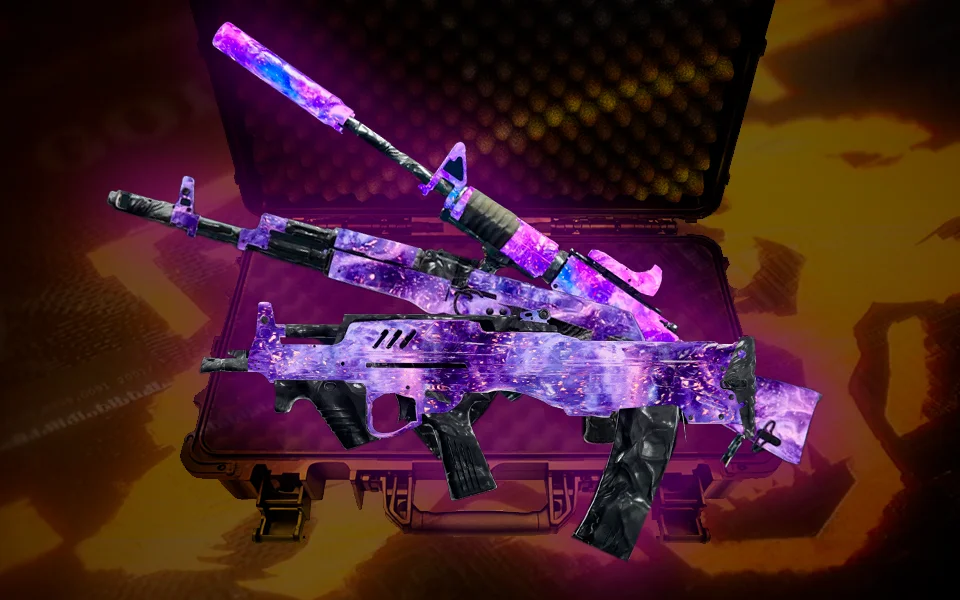
- Complete every challenge in a single mode → that mode's animated Mastery Camo — Gravebloom (Endgame), Grubs (Multiplayer), Malignant (Zombies), or Death Row (Warzone).
- Complete every challenge across all four modes → the hidden Oozed camo, the event's ultimate Dark-Matter-style reward.
Because every camo is mode-locked, that top-tier Oozed grind forces you through Multiplayer, Zombies, Endgame, and Warzone — which is exactly why a single stuck tracker in one mode can feel like it's holding the whole thing hostage. Clear the bug, keep the mode-lock rule in mind, and the ladder moves again.
If you'd rather not spend a weekend fighting the tracker across four modes, a BO7 Mastery Camo Unlock service will run the event challenges for you, and you can pair it with account & weapon leveling if the guns you need aren't ready. This is Black Ops 7's last major camo event before Modern Warfare 4 launches on October 23, 2026 and resets weapon progression — so the window to lock in Oozed is genuinely closing. For what carries over, see do your Warzone weapons carry over to Modern Warfare 4.
FAQ
Why are my BO7 camo challenges not tracking after the update? It's the known Camo Costume Party tracking bug — and in most cases it's a display problem, not lost progress. The game is counting your kills in the background but not redrawing the on-screen counter. Force a re-sync by removing the camo from your gun, returning to the main menu, then hard-closing and fully relaunching the game. Your real progress usually appears on reload.
How do I fix camo challenges that show zero progress in Black Ops 7? Take the camo off the affected weapon, back out to the main menu, then completely close and restart the game (a full quit — not Rest Mode or Quick Resume). Players confirm the tracker then shows the actual progress it had banked in the background. If the gun has no camo to remove, build a blueprint with any camo first, then repeat.
Why won't my Zombies camo challenge count when I'm getting kills? Because the Camo Costume Party camos are mode-locked. The Zombies camo set (Zombie Mai Tai) only progresses in Zombies — kills in Multiplayer, Endgame, or Warzone won't touch it. If a challenge won't move, first confirm you're playing in the mode that camo belongs to. Treyarch's own note says to complete challenges "from all four Modes."
Did I lose my camo progress from the bug? Almost certainly not. The tracking issue is a sync/display problem — the eliminations are recorded server-side and typically reconcile after a game restart or once the official fix ships. Run the remove-and-restart first; if it still won't show, report it via Activision Support and keep playing rather than re-grinding from scratch.
How long do I have to finish the Camo Costume Party? The event runs September 17 – October 8, 2026 in Black Ops 7 and Warzone. After it ends, the Oozed camo and the mode Mastery Camos are no longer earnable through the event challenges, so clear any stuck trackers well before the deadline.